


Get Your Squarespace Website Found In


From Google to ChatGPT and beyond, SEOSpace makes your site 4x more likely to get discovered by customers.
Trusted by Squarespace users and featured in...



More Visitors. More Customers.
No SEO Headaches
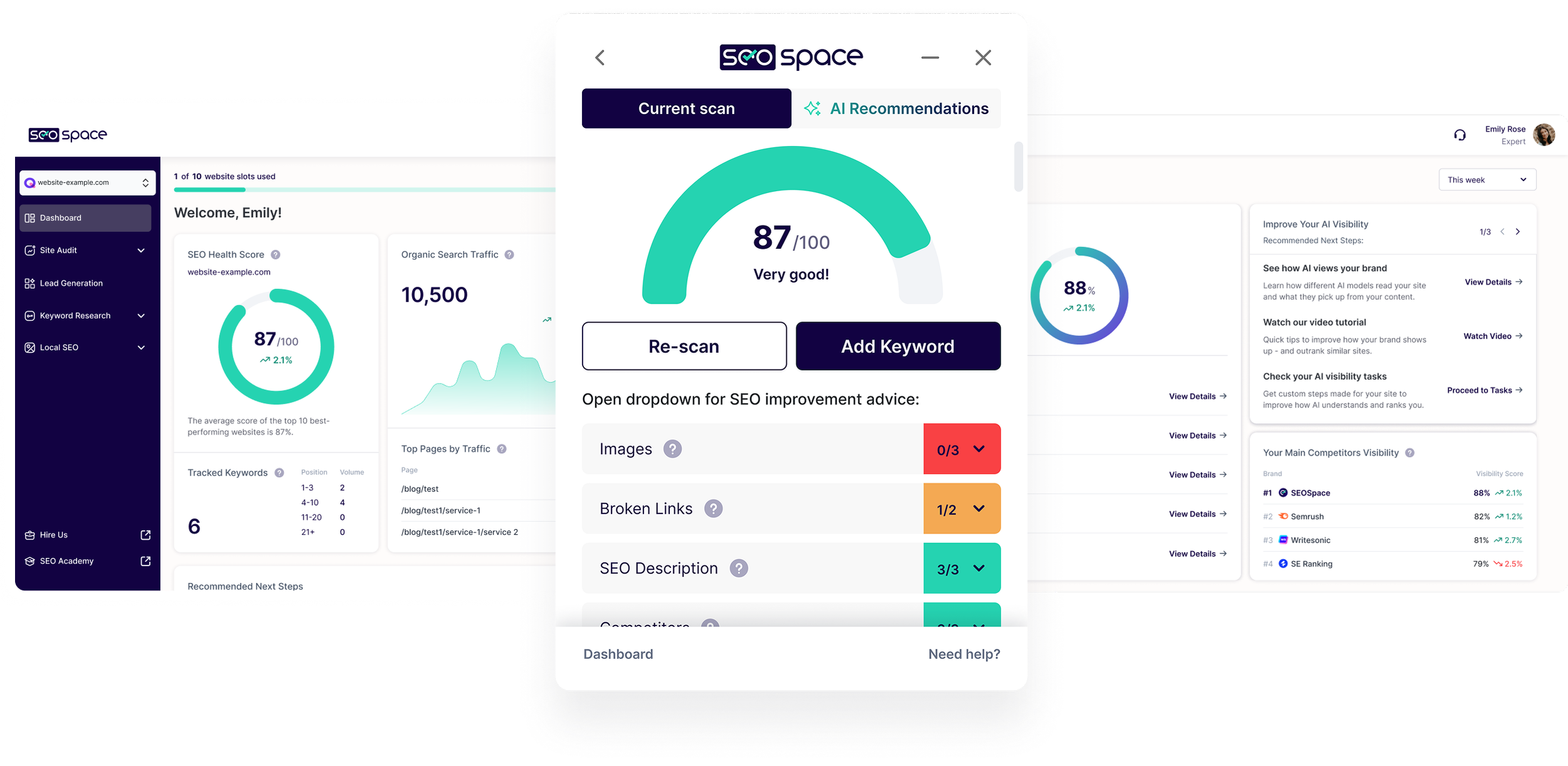
SEOSpace gives you simple, personalized SEO guidance to rank higher and attract customers, all built for Squarespace.

Outrank Your Competitors
See exactly what to fix on your site — directly in Squarespace — so you can climb above competitors.
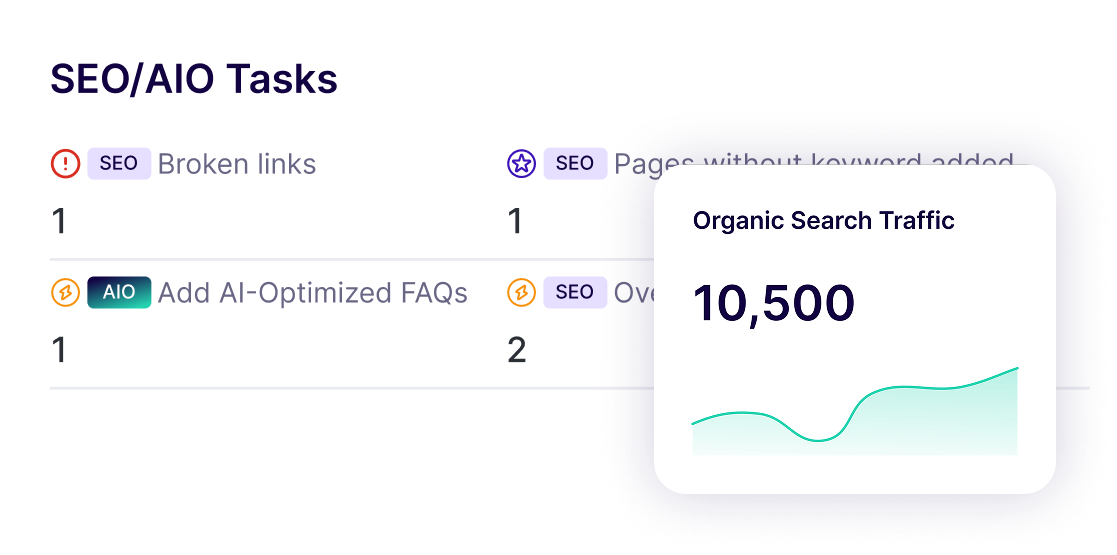
Squarespace-specific SEO Reports
A clear to-do list that shows what matters most, so you can rank faster.
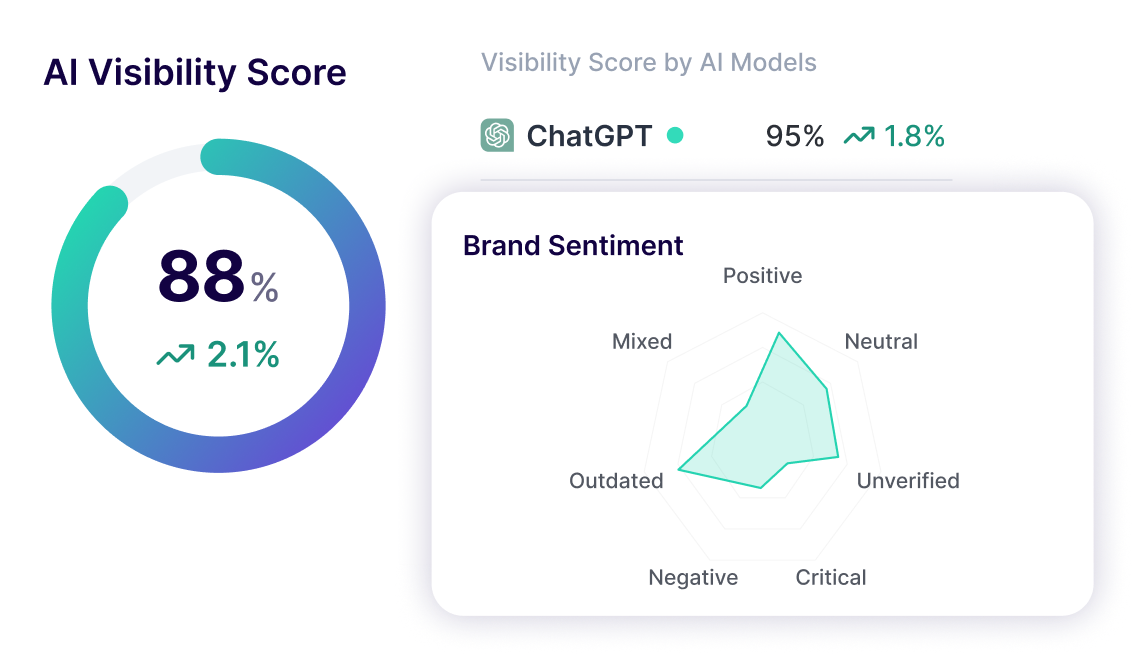
Your AI Visibility Dashboard NEW
Know exactly where you show up in Google, ChatGPT, and more — so you don’t miss customers.
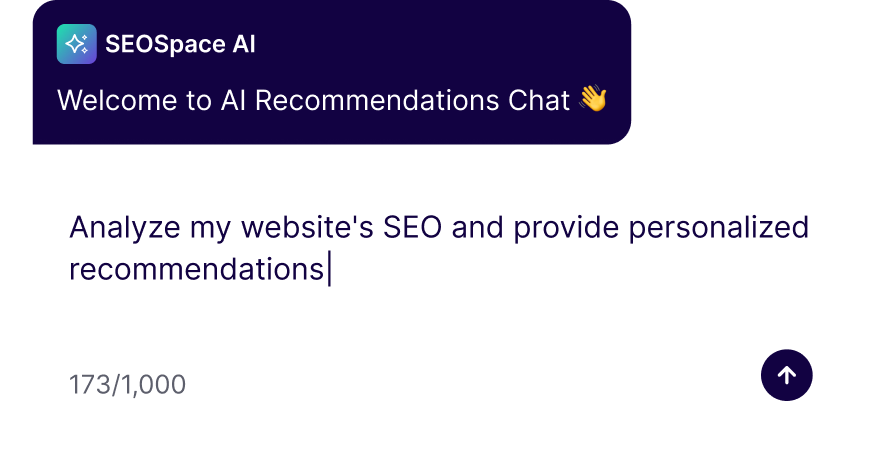
AI Assistance
Never start from scratch — get blogs, product descriptions, and SEO fixes written in seconds.
Jargon-free SEO Guidance
Easy-to-follow SEO tips and guidance to improve your rankings
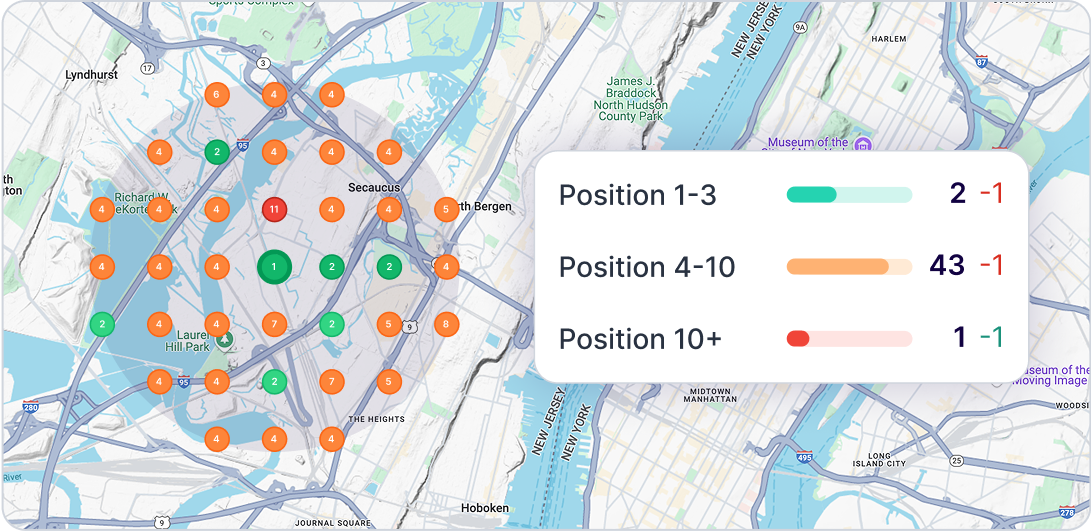
Local SEO Tools NEW
Put your business on the map. See where you rank locally and attract more nearby customers.
The Easiest SEO Tool for Squarespace
Get more sales by attracting the right customers with step-by-step guidance built just for Squarespace.
Why 35,000+ Squarespace Users Trust SEOSpace to Grow Their Business
Real Squarespace Users. Real Results.
★ ★ ★ ★ ★
”Easy to use and actionable!”

SEOSpace’s SEO tools and plugin are an absolute asset to any Squarespace website! Whether you're a web designer like me or have a DIY website, SEOSpace is easy to use and easy to understand, providing actionable steps and SEO tools you can take right away to follow SEO best practices.
Tabitha Stevenson, Mindful Design Solutions

★ ★ ★ ★ ★
”I love SEOSpace!”

I absolutely love working with SEOSpace. They have given me easy-to-follow suggestions to improve my Squarespace site and search engine optimization. I love how responsive the team is. I feel like they actually care about me.
Matthew Kauffmann, Wedding Photographer
Used by Squarespace Leaders


Flexible pricing for every
Squarespace site
Start Free, Upgrade Anytime. All plans include every feature.
- Scan live Squarespace web pages
- Automatic site audit 100 pages
- Blog, keyword & competitor AI 50 credits/mo
- Keyword rank tracking 25 keywords
- Scheduled reports &monitoring monthly
- AI recommendations
- SEO community & tutorials
- Backlink analysis
- AI visibility
- Local SEO tools
- PDF reports
- Scan draft & protected pages
- White-label PDF reports
- Embeddable website audit tool
- Everything In Starter
- Automatic site audit 500 pages
- Blog, keyword & competitor AI 200 credits/mo
- Keyword rank tracking 100 keywords
- Scheduled reports &monitoring weekly
- Additional Users 10$/user/mo
- Everything In Pro
- Automatic site audit Unlimited Pages
- Blog, keyword & competitor AI 500 credits/mo
- Keyword rank tracking 500 keywords
- Scheduled reports &monitoring Daily(Coming Soon)
- Additional Users 15$/user/mo
- Dedicated Account Manager
- Priority Support
- Custom Branding
- Unlimited client sites
- Full white-label platform
- Reseller dashboard
- AI credits (unlimited)
- Bulk reporting & exports
- Client management portal
- API access
- Dedicated success manager
- Custom onboarding training
- Priority 24/7 support
The SEO work you never get to, done every week.
Orbit puts five AI agents on your Squarespace site. They watch it, catch what is slipping, and write the fix. You review a finished queue of work instead of hunting for it.
- Scan Live Squarespace Web Pages
- Access to Chrome Extension
- Scan Up to 50 Web Pages
What Squarespace
Experts Say





How to Improve Squarespace SEO with SEOSpace

1
Sign up in minutes — no credit card required.
Create an account through the SEOSpace dashboard, select the plan you want to subscribe to and securely input your payment information (via Stripe). You’ll already be closer to climbing search results.

2
Instantly see what’s holding your site back.
Add your homepage, remove any web pages you want us to skip and then start the site-wide audit to see your results in minutes. You can also connect Google’s search tools (search console) to get enhanced Squarespace SEO recommendations.

3
Works directly in your Squarespace editor
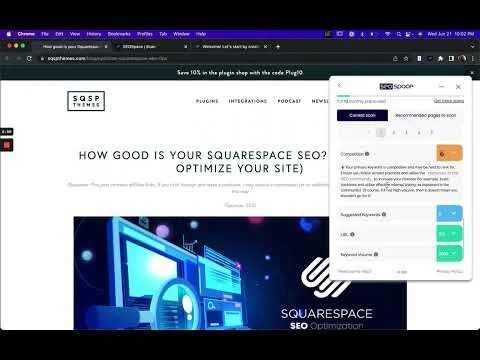
SEOSpace is a Chrome Extension, allowing you to optimize your site and follow SEO best practices from the Squarespace editor or live web page.

4
Follow simple, step-by-step fixes to rank higher.
Open our extension from the Squarespace editor to see your SEO results and guidance. From our extension, you can generate SEO titles with AI, speed up your SEO efforts, build your SEO strategy and learn how to best use Squarespace’s SEO settings. SEOSpace also works on your blog page, telling you how to fix URL slugs across all your Squarespace sites.

5
See your progress and celebrate more traffic.
Monitor your Squarespace site's weekly Google rankings with SEOSpace's built-in Rank Tracking. Finally, a Squarespace-focused tool to track progress and find growth opportunities – trusted by 20,000+ professionals for complete SEO management.
6
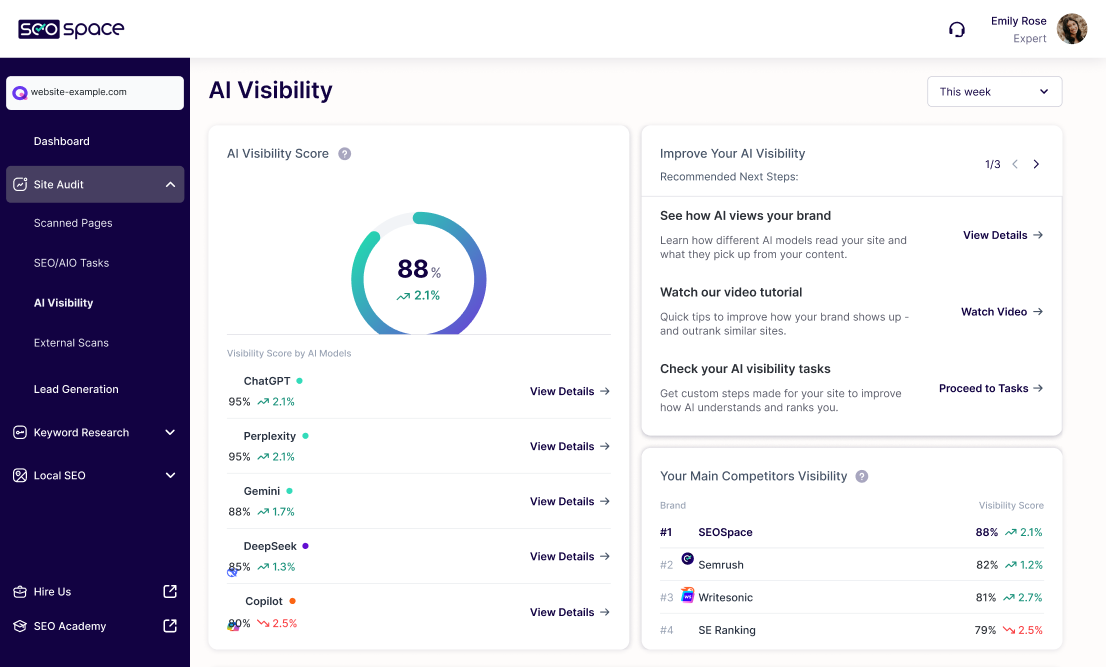
Know where you show up in AI search engines like Google and ChatGPT.
Track your Squarespace site's visibility across ChatGPT, Perplexity, and others with SEOSpace's AI Visibility. See how AI tools use your content, which topics your site ranks for, and follow actionable steps to boost your AI search presence.
Rather Squarespace SEO Experts Do It For You?
Join 10,000+ other Squarespace website owners who trust SEOSpace’s Squarespace SEO experts (based in the UK and US) and SEO advice to increase their website traffic through a proven SEO strategy.

SEO Insights at Your
Fingertips


Frequently Asked
Questions
-
SEOSpace is the Squarespace SEO tool designed to help you get found on Google and other search engines. It clearly guides you through making improvements like writing effective SEO page titles, adding alt text to images, adjusting page settings, and structuring your content to appear higher in search results. SEOSpace makes Squarespace SEO easy, even if you're completely new to it. Watch this to learn more.
-
No experience is necessary. SEOSpace is created for anyone who uses Squarespace and wants their website to appear higher in search results. Whether you’re editing your first SEO page titles, adding alt text, or adjusting your page settings, you'll find clear instructions every step of the way. It's built specifically for beginners, so anyone can quickly understand and improve their Squarespace SEO. In fact, SEOSpace is so effective that those using it are 4x more likely to get found on Google than those that don't use SEOSpace.
-
SEOSpace is made exclusively for Squarespace website owners, including bloggers, photographers, creatives, e commerce store owners, and small businesses. If you're using Squarespace and want more visitors from search engines like Google, SEOSpace gives you exactly what you need to improve your website's visibility in search results. If you'd rather someone do it for you, hire our Squarespace SEO agency.
-
Right now, SEOSpace works best with Google Chrome. We’re working on adding more browser options soon, like Safari and Firefox. Using Chrome ensures the best user experience when editing your Squarespace SEO settings, including your SEO page titles, alt text, and page settings directly from the Squarespace editor.
-
Yes, we offer a completely free trial so you can see exactly how SEOSpace works. During your trial, you get full access to our tools for improving your Squarespace SEO, including adding alt text, creating better SEO page titles, improving your SSL certificates (website security), and adjusting page settings.
-
Absolutely. You can switch your SEOSpace subscription plan at any time, whether your Squarespace site is growing or you're managing multiple client websites. Changing your plan is easy and flexible, matching your needs as they evolve.
-
If you ever run into issues, like SEOSpace not updating properly, or have questions about Squarespace SEO, you can contact our support team through support@seospace.co or live chat. We're friendly, quick to respond, and ready to solve your problem directly, so you can keep improving your rankings in search engines.
-
Yes, SEOSpace provides clear, easy-to-follow tutorials on YouTube and even a Squarespace SEO course that walks you through every aspect of Squarespace SEO. You'll find step-by-step instructions on writing better SEO page titles, using alt text, managing your SSL certificates, structuring your content, and editing Squarespace page settings, so your site ranks higher in search results.
We also offer a Squarespace SEO checklist and Squarespace SEO tips for free, to help you improve your rankings.
-
No coding knowledge is required. SEOSpace is made specifically for Squarespace, one of the simplest website builders available, so you never need to touch code. You can easily update your SEO page titles, alt text, and page settings to boost your rankings in search engines without writing a single line of code.
-
Most Squarespace website owners using SEOSpace start noticing improved search results within weeks, with significant changes often appearing after 1–3 months. Regularly updating your site with relevant SEO page titles, adding descriptive alt text, and adjusting page settings helps search engines see your improvements faster, leading to better rankings over time. If you're not seeing results, it might be because you need to revisit your SEO strategy - you can watch our free webinars to learn how to best do this.
-
Yes, you can cancel your SEOSpace subscription anytime through your dashboard. It's simple and quick, with no complicated process involved.
-
Yoast SEO works only with WordPress. SEOSpace fills the gap by giving Squarespace users an easy, effective way to rank higher in search results. SEOSpace clearly shows you how to update your SEO page titles, add alt text, secure your site with proper SSL certificates, and structure content—all specifically tailored to Squarespace SEO, without needing Yoast.
-
If SEOSpace isn't updating properly, first refresh your Chrome browser and clear your browser cache. If the problem persists, watch this video or reach out directly to our support team through support@seospace.co or live chat. We'll help you quickly resolve the issue so you can get back to improving your Squarespace site's visibility in search results.
-
We have an internal agency that knows SEOSpace inside and out, so they can manage your SEO while you focus on running your business. Hire them/Learn more here.