How to Appear in AI Search Results: A Guide for Squarespace Websites
The digital landscape is shifting beneath our feet. For years, the goal was simply to rank on Google’s first page.
Now, with the rise of ChatGPT, Google Gemini, and Perplexity, the new frontier is Generative Engine Optimization (GEO). If you are a Squarespace user, you might be wondering if your platform is equipped for this change.
The good news is that Squarespace’s clean code and structured templates provide a solid foundation. However, learning how to appear in AI search results requires a specific strategy that goes beyond traditional keywords.
It demands clear answers, authoritative content, and technical precision that signals to AI models that you are the trusted source they should cite.
Key Takeaways
Shift to GEO: Move from keyword stuffing to "Generative Engine Optimization" by answering questions directly and concisely.
Structured Data is King: AI models rely on Schema markup to understand context; Squarespace users may need code blocks to enhance this.
Brand Authority Matters: AI cites trusted sources. Build your E-E-A-T (Experience, Expertise, Authoritativeness, Trustworthiness) signals.
Audit with SEOSpace: Use specialized tools to ensure your technical foundation is flawless for AI crawlers.
Table of Contents
Understanding the Shift: SEO vs. GEO
To master how to appear in AI search results, you must first understand how AI search differs from traditional search. Traditional SEO was about pointing users to a list of links. AI search, or GEO, is about synthesizing a single, correct answer.
When a user asks Gemini or ChatGPT a question, the AI doesn't just look for keywords; it looks for understanding. It scans thousands of sources to construct a coherent response.
Your goal is no longer just to get a click; it is to be the "citation", the source the AI credits for the information. This means your content needs to be factually dense and easy for a machine to parse.
While traditional SEO tricks like padding word counts might have worked in the past, AI prefers concise, high-value information.
Technical Foundation: Preparing Squarespace for AI
Squarespace is often criticized by SEO purists, but for AI search, it is actually quite robust. AI crawlers favor clean HTML structures, which Squarespace templates generate automatically.
However, to maximize your chances and learn how to appear in AI search results, you need to ensure your site is technically flawless.
Site Speed: AI agents are impatient. Ensure your images are compressed and you aren't overloading pages with unnecessary scripts.
Sitemap Availability: Squarespace generates a sitemap automatically (yoursite.com/sitemap.xml). Submit this to Google Search Console and Bing Webmaster Tools. Since Bing powers many AI tools (like ChatGPT’s web browsing and Microsoft Copilot), Bing optimization is more critical now than ever.
Crawl Efficiency: You must ensure no broken links or hidden pages are blocking AI bots.
Trying to guess if your technical settings are correct can be risky. We recommend using SEOSpace, the leading SEO plugin built specifically for Squarespace.
It runs a comprehensive audit of your site specifically for these technical factors, ensuring your sitemaps, SSL, and crawlability are perfect for AI agents.
Step-by-Step: How to Audit Your AI Presence
Trying to guess if your technical settings are correct can be risky. We recommend using SEOSpace, the leading SEO plugin built specifically for Squarespace.
It runs a comprehensive audit of your site specifically for these technical factors, ensuring your sitemaps, SSL, and crawlability are perfect for AI agents.
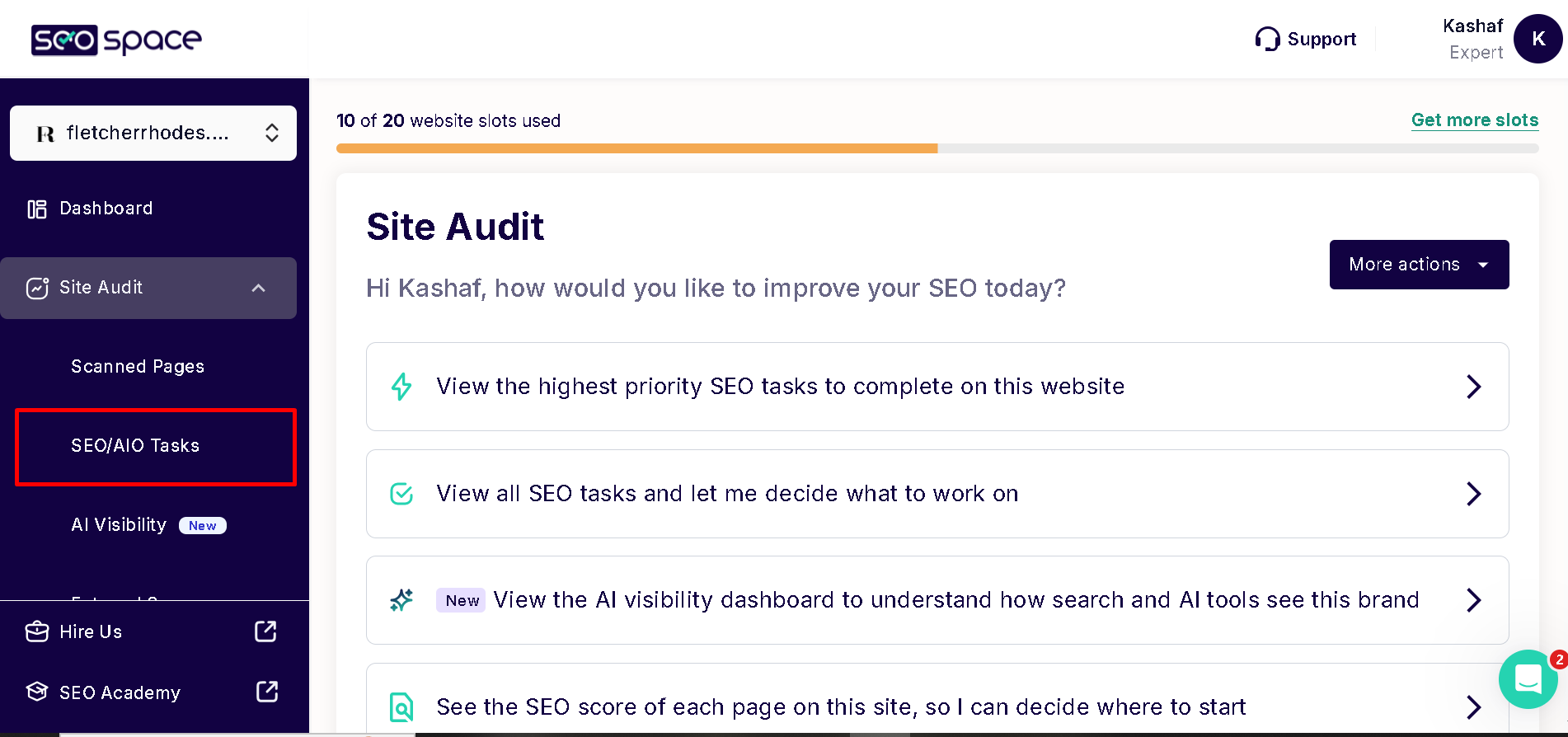
Before you can optimize, you need to know where you stand. In a recent guide, SEOSpace shared a specific workflow for checking your "AI Optimization" (AIO) status. Here are the steps to follow:

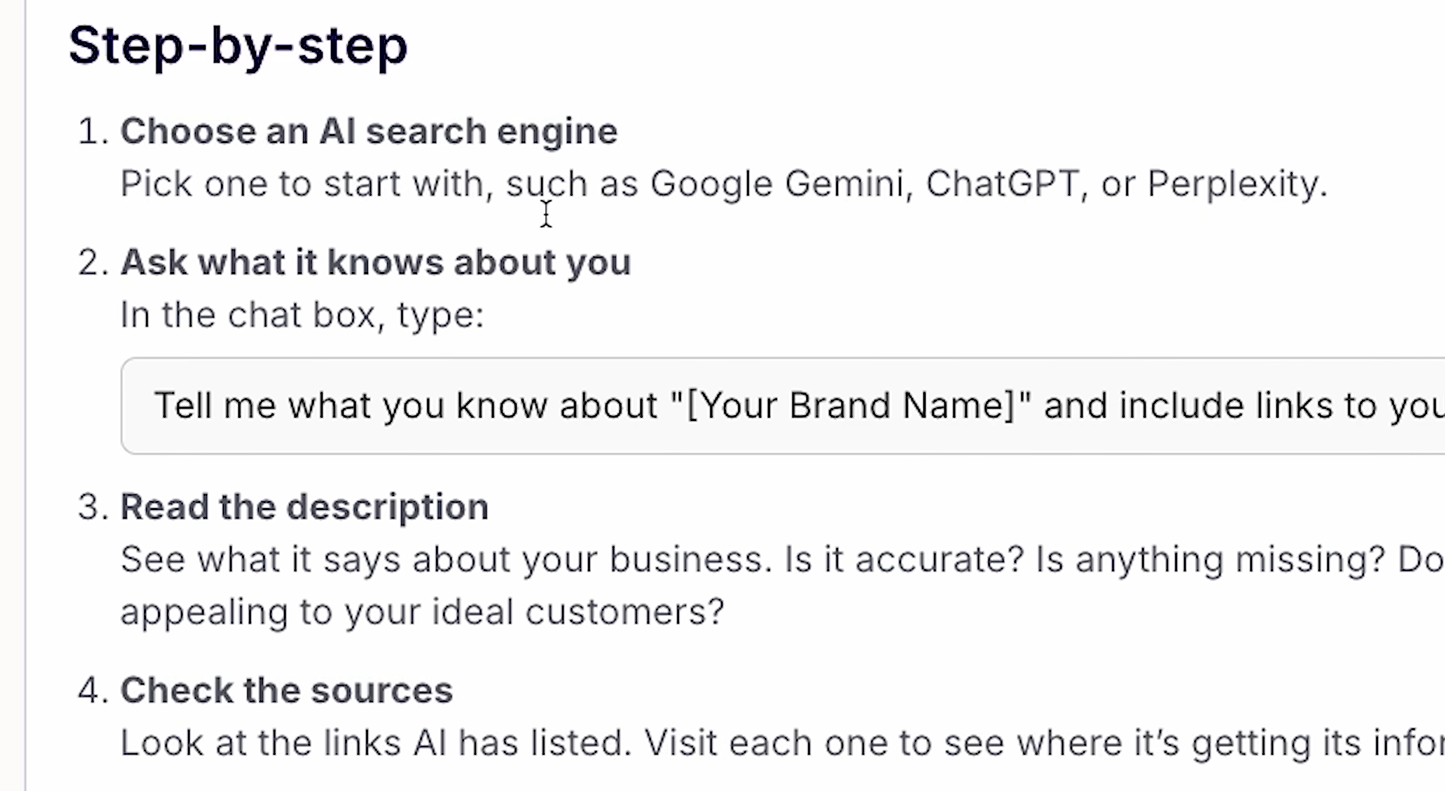
1. Audit what AI knows about you
Open ChatGPT or Gemini and type this exact prompt: "Tell me what you know about [Your Brand Name] and include links to your sources." This will reveal exactly what the AI has indexed about you.
If the information is wrong, look at the "sources" it cites. You may need to update your About page or contact those third-party sites to correct the information.
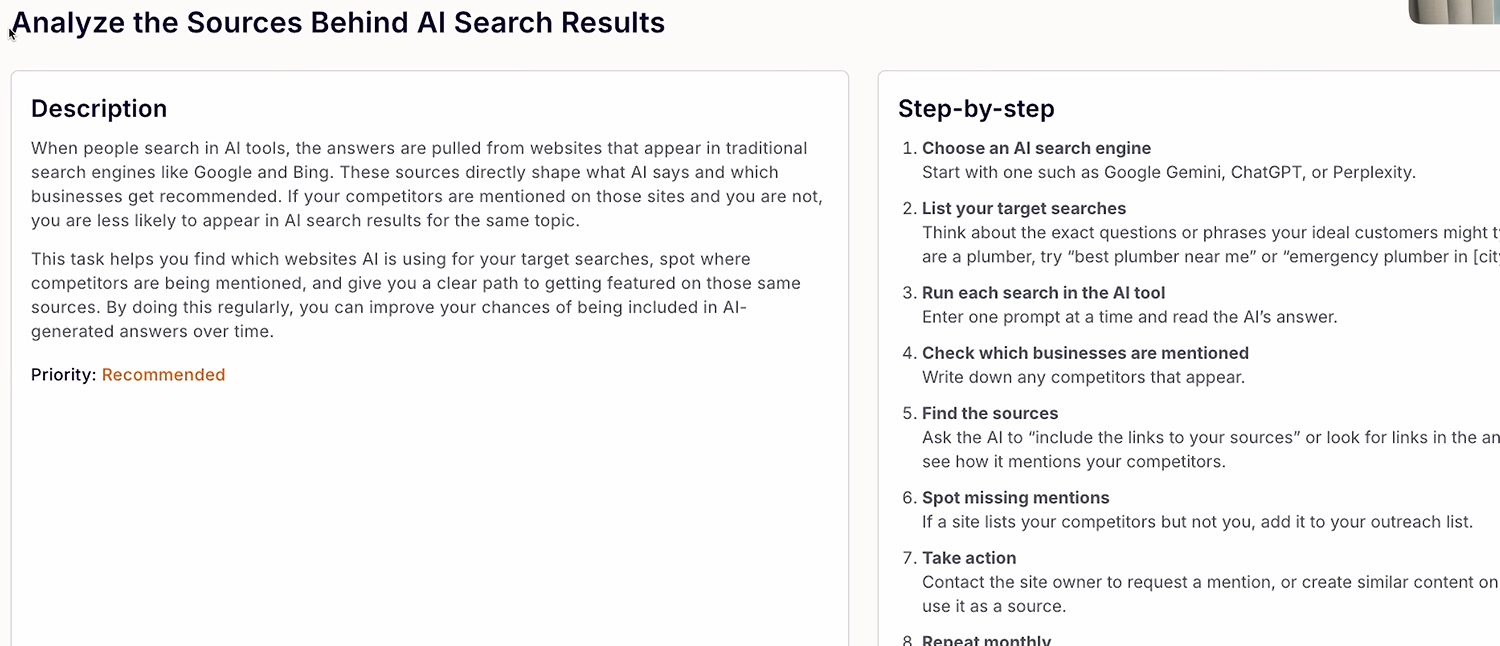
2. Ask AI what it looks for
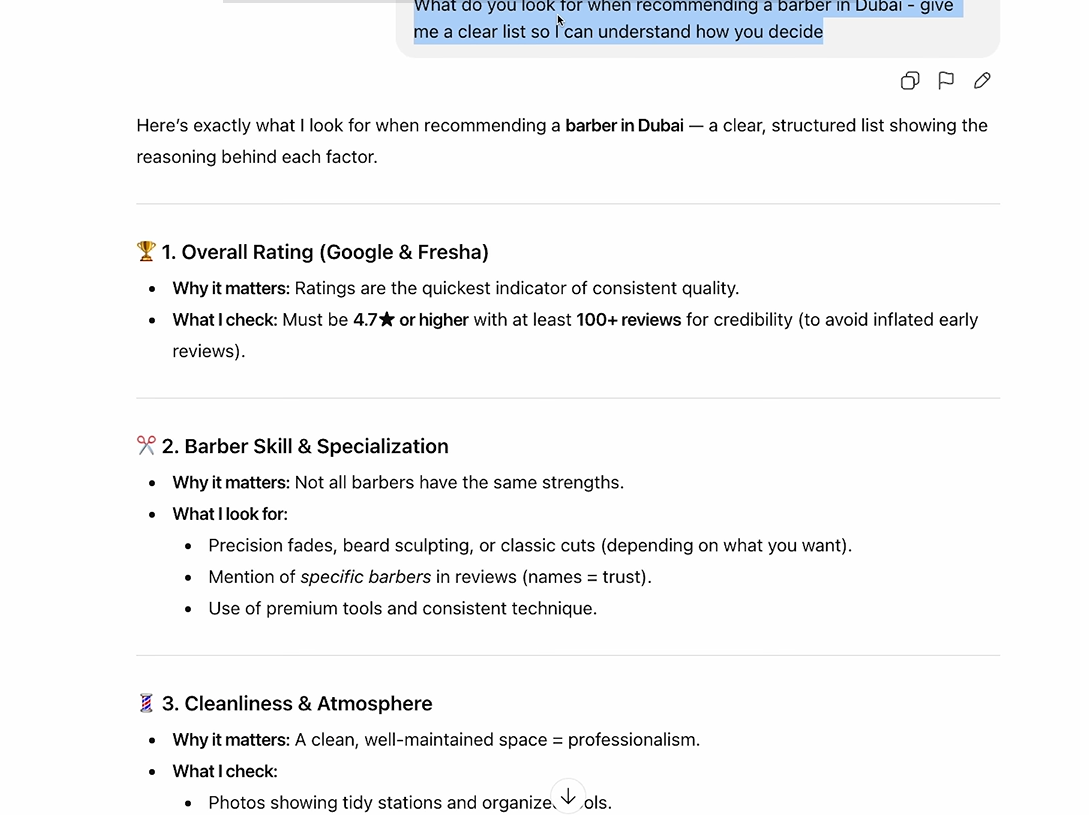
To truly understand how to appear in ai search results for your specific industry, ask the AI for its criteria. Prompt: "What do you look for when recommending a [Your Service, e.g., Barber in Dubai]? Give me a clear list."
The AI might tell you it looks for "pricing transparency," "cleanliness," or "recent reviews." This list effectively becomes your SEO checklist.
If you don't have pricing on your site, but the AI says it looks for pricing, you now know exactly why you aren't ranking.
3. The "Personal Experience" Gap
AI has no physical body; it cannot taste your food or sit in your barber chair. Therefore, it relies entirely on reviews to judge quality.
You must generate reviews on platforms the AI trusts (like Google Business Profile, Fresha, or TripAdvisor) to prove your worthiness.
Content Strategy: Writing for the Answer Engine
The most significant change you must make is in your writing style. To understand how to appear in AI search results, you must adopt the "Answer First" methodology.
AI models often pull their summaries from the first few sentences of a section. If you bury the lead, the AI might miss it. Use the "Bottom Line Up Front" (BLUF) approach.
If your heading is "What is the best Squarespace template for photographers?", your very next sentence should be a direct answer: "The best Squarespace template for photographers is 'Aria' due to its grid layout and minimal text distractions."
After providing the direct answer, you can expand on the details. This structure effectively feeds the AI the "snippet" it is looking for. Furthermore, you should target "Zero-Click" searches.
These are questions where the user wants a quick fact. By being the clearest source of that fact, you become the primary citation.
The Power of Structured Data (Schema)
If you are serious about figuring out how to appear in AI search results, you cannot ignore Schema markup. Schema is a code language that helps search engines understand the context of your content.
Squarespace has some built-in Schema (like for Products and Local Business), but it can be limited for blog posts or service pages. AI models love structure. They trust data that is clearly labeled.
FAQ Schema: This is incredibly powerful for AI. By wrapping your Q&A sections in FAQ Schema, you explicitly tell the AI, "Here is a question, and here is the correct answer."
Article Schema: Ensure your blog posts use Article schema so AI knows who the author is, when it was published, and what the headline is.
Since Squarespace doesn't offer a native "Schema Builder" for everything, you will often need to generate this JSON-LD code using a free tool and inject it into the content using a Code Block.
This extra step gives you a massive advantage over competitors who rely solely on default settings.
Building Brand Authority and Citations
AI models rely on a concept called "co-citation." If reputable websites mention your brand alongside keywords related to your industry, the AI begins to associate you with that topic.
Learning how to appear in AI search results involves a PR strategy as much as an SEO strategy.
You need to be mentioned in the places where the Large Language Models (LLMs) were trained. This often includes:
Reddit and Quora: AI models ingest huge amounts of data from forum discussions. Participating helpfully in these communities can associate your brand with specific solutions.
Industry Directories: Being listed in high-authority directories validates your existence to the AI.
Digital PR: Guest posting on reputable sites creates the "web of trust" that AI looks for.
When an AI sees that "Brand X" is consistently mentioned by experts when discussing "Web Design," it learns to cite Brand X when answering user queries about web design.
Formatting for Robots
Visual appeal is for humans; structural clarity is for robots. When you are optimizing your Squarespace site and researching how to appear in AI search results, pay attention to your formatting.
AI models are excellent at reading lists and tables. If you have a comparison to make (e.g., "Squarespace vs. WordPress"), do not write it as a wall of text. Use a Markdown block or a simple text list.
Lists are easy for AI to parse.
Tables provide clear data relationships.
Headings (H2, H3) act as signposts for the AI.
If you write a long, unbroken paragraph, the AI has to work harder to extract the entities. If you use a bulleted list, you are essentially serving the data on a silver platter.
The Role of Freshness
AI models are constantly being updated, but they also value recent information. SearchGPT and Google’s AI Overviews prioritize real-time or near-real-time data for many queries.
To maintain your status and master how to appear in AI search results, you must update your content regularly.
Go back to your old Squarespace blog posts and update the statistics, dates, and references. Add a "Last Updated" note at the top of the post.
This signals to the AI that your content is current and relevant, unlike a competitor's post that hasn't been touched since 2019.
Optimizing for Intentionality
Finally, focus on "Intent." Why is the user searching? If they are looking for a tutorial, give them step-by-step instructions (perfect for HowTo schema). If they are looking for a definition, give them a dictionary-style definition.
Many people fail to learn how to appear in AI search results because they write "fluff." They write 500 words of introduction before getting to the point. AI hates fluff. It creates noise.
Be ruthless in your editing. Cut the preamble and get straight to the value. This "information density" is a key ranking factor for generative engines.
Monitoring Your Progress with SEOSpace
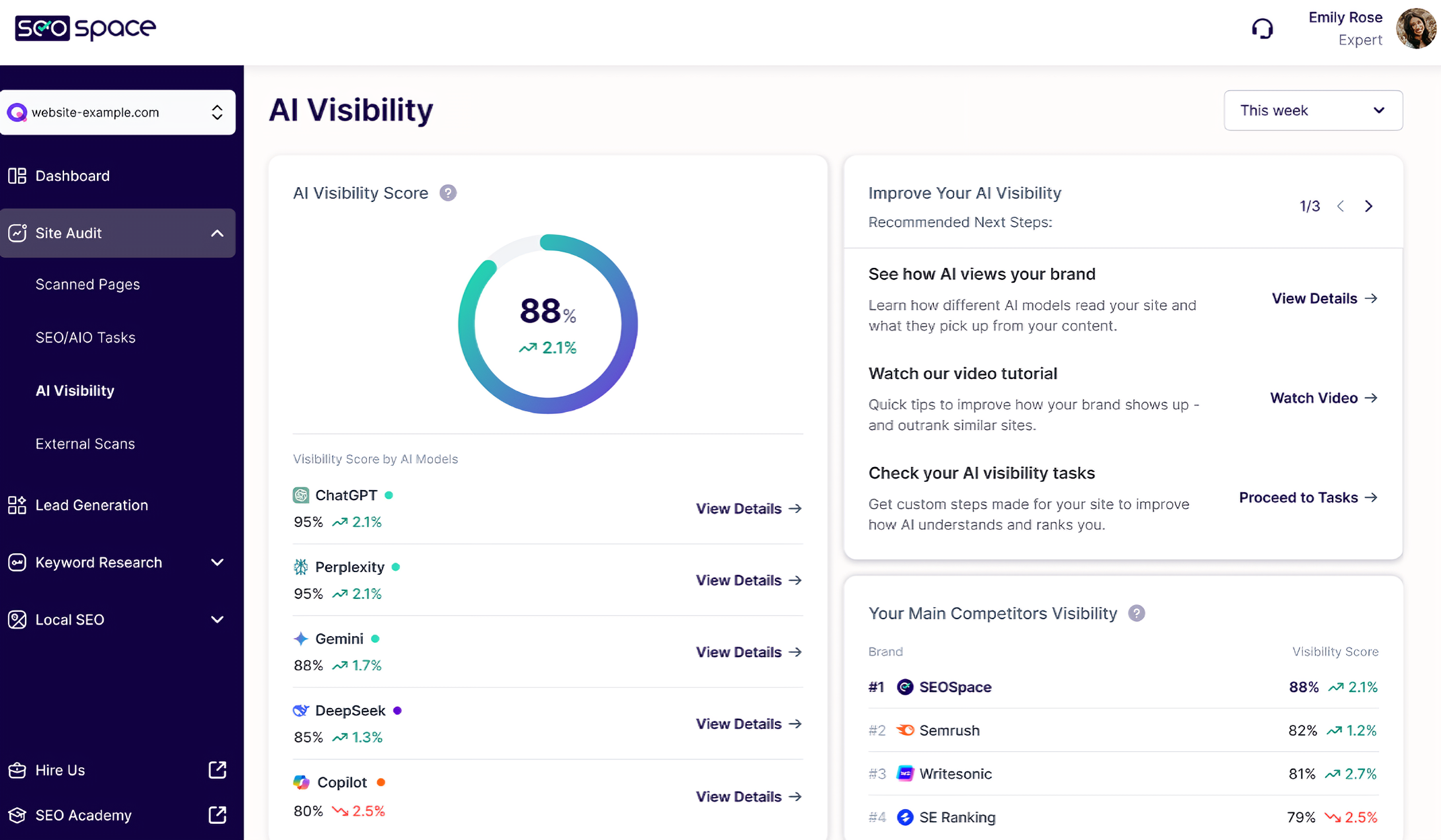
How do you know if it's working? Unlike Google Analytics, there is no "AI Traffic" dashboard in standard tools yet. However, this is where SEOSpace shines again.
SEOSpace has recently introduced an AI Visibility Dashboard, a cutting-edge feature designed to help you track exactly where you stand in AI search. It removes the guesswork by showing you if and how you are appearing in results generated by tools like ChatGPT and Google Gemini.
Get Started with SEOSpace Today
Don't let your Squarespace site get left behind in the AI revolution. SEOSpace is the tool that bridges the gap between traditional Squarespace design and modern AI search requirements. Click here to scan your Squarespace site for free with SEOSpace!
Conclusion
Adapting your Squarespace site for the AI era is not about rebuilding from scratch; it is about refining how you deliver information. By focusing on technical health, structured data, and high-density content, you can position your brand as the authoritative source.
Remember, the goal of learning how to appear in AI search results is to become the "expert" that the AI relies on to look smart. If you help the AI answer its user's question efficiently, it will reward you with the citation.
Get your free Site Audit today to learn what can you improve for the upcoming year!
Frequently Asked Questions
-
No, Squarespace does not block AI crawlers by default. However, you should check your robots.txt and site availability settings to ensure you haven't inadvertently restricted access. Running a scan with SEOSpace can quickly confirm if your site is accessible to these bots.
-
You can use it for outlines and drafts, but be careful. AI content often lacks the unique "Information Gain" that search engines look for. To truly master how to appear in AI search results, you need human insight, original data, and a unique voice that AI cannot simply hallucinate on its own.
-
For most businesses, LocalBusiness and FAQPage schema are the most impactful. FAQPage schema is particularly effective because it directly formats your content into a question-and-answer pair, which mirrors exactly how AI users interact with search engines.
-
It varies. AI models have training cut-off dates, but "live" search tools like Perplexity and Google AI Overviews index content almost as quickly as traditional search. If you implement these changes today, you could see results in "live" AI tools within weeks.
-
Yes, but the style of blogging has changed. Instead of opinion pieces, focus on "Knowledge Base" style content. Detailed, factual, and well-structured guides are the fuel for AI answers. If you want to know how to appear in AI search results, look at your blog as a database of answers rather than a collection of stories.